Launching soon for iPhone

You showed Instagram.
They needed LinkedIn.

Qard is a swipeable QR-code deck for your iPhone. Add Instagram, LinkedIn, TikTok, WhatsApp, and 8 more. Tap present. Let them scan. Done in two seconds.

Free to explore — no account needed to start.

12
platforms
~2s
to share
1
deck, all profiles
Qard onboarding — share every profile, one scan
Scanning…
12
Social platforms
26+
Avg. scans per deck
2s
From pocket to scan
1
App, zero paper cards

01 — What Qard does

Every fill, one swipe.

Qard home deck — 4 cards, 26 total scans
01

Your deck stays loaded.

Build a card for every platform once. Qard stores the QR, the username, the URL. Swipe left, swipe right — the one you need is always a thumb-flick away.

Qard present mode — Instagram QR, scanned 14 times
02

Scans don't lie.

Every time someone points their camera at your code, Qard counts it. See which profile gets the most interest and know which one to open first next time.

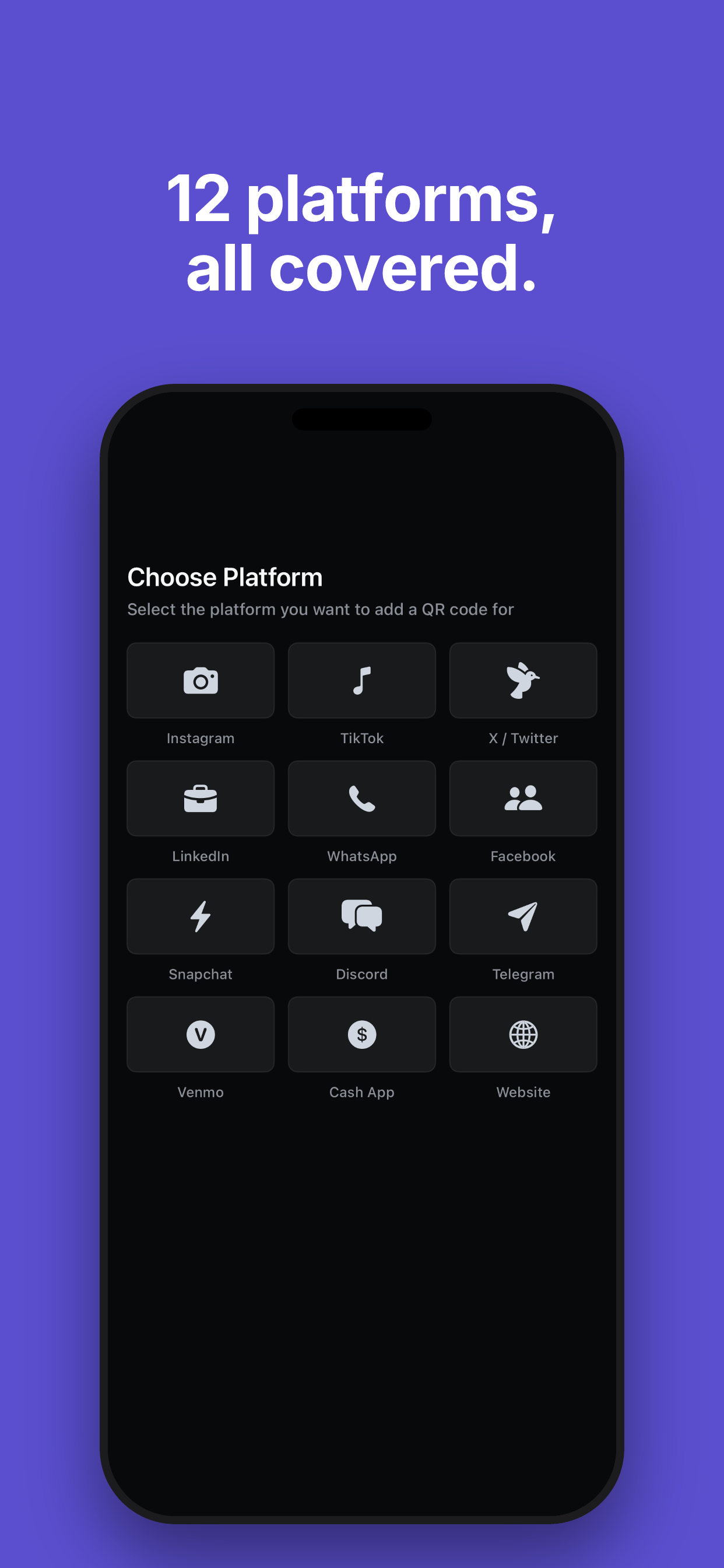
Qard platform picker — 12 platforms
03

Twelve platforms, no hunting.

Instagram, LinkedIn, TikTok, WhatsApp, X, Facebook, Snapchat, Discord, Telegram, Venmo, Cash App, Website. Add what you use. Reorder by what gets asked for most.

02 — How it works

Three taps between meeting and connected.

Paper business cards go missing. Manually typing a username in a noisy room is error-prone. Qard removes the friction from the exchange so the conversation keeps going.

Step 1 of 3

Add your profiles once.

Paste a username or URL. Qard generates the QR instantly. Do it for every platform you're on — it takes under two minutes total.

Step 2 of 3

Tap Present when you meet someone.

One tap opens your deck in full-screen mode. Swipe to whichever platform fits the moment — LinkedIn for the recruiter, Instagram for the creative director.

Step 3 of 3

They scan. You're connected.

Their phone's native camera opens the profile directly. No app install needed on their end. Qard logs the scan so you know which card works best.

03 — Why Qard exists

The connection happens in the moment. The follow-up happens on whatever platform they actually use. We built Qard because carrying one QR code for your Instagram — when the person in front of you is a recruiter who lives on LinkedIn — is a miss that compounds over a career. Your digital identity is plural. Your QR deck should be too.

04 — Platform coverage

Wherever they want to connect, you're already there.

12 platforms out of the box. Each gets its own QR, its own scan count, and its own card in your deck.

Instagram
TikTok
LinkedIn
WhatsApp
X / Twitter
Facebook
Snapchat
Discord
Telegram
Venmo
Cash App
Website
Choose platform in Qard — 12 platforms shown

05 — Questions

Everything worth asking before you download.

Qard app icon

Stop reaching for the wrong QR.

Get notified the moment Qard - Social QR Deck is available on the App Store.

The Deck

Tips, trends & tactics for smarter networking

Ultimate Guide

The Ultimate Guide to Building a Personal Brand QR Code Strategy for iPhone (Instagram, WhatsApp, LinkedIn & More)

Your personal brand lives across a dozen platforms, but most people only ever share one link — if they share anything at all. A deliberate QR code strategy means every platform gets its moment, whether you're at a trade show, a coffee chat, or a creator meetup. This guide walks you through setting up, organizing, and presenting every social QR code from your iPhone like a pro.

Read more →9 min read